

This guide will help you with how to set a Custom World Seed on your Empyrion Galactic Survival Server
Setting a custom world seed on your Empyrion Galactic Survival server allows you to generate a unique galaxy layout, resource distribution, and planetary arrangement tailored to your community’s playstyle. Whether you want a familiar environment for structured progression or a completely fresh universe to explore, adjusting the world seed gives you full control over how your server’s world is created. This guide explains what the world seed does, why it matters, and how to configure it properly so your server launches with the exact universe you envision.
Configuring the World Seed for Your Empyrion Galactic Survival Server
1. Log in to your Game Control Panel, then head over to your server service.
2. Before making any changes, stop the server by clicking the Stop button.

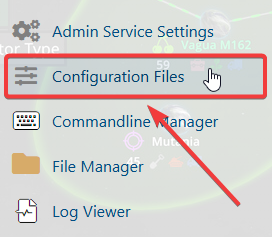
3. Navigate to the Configuration Files Task section.
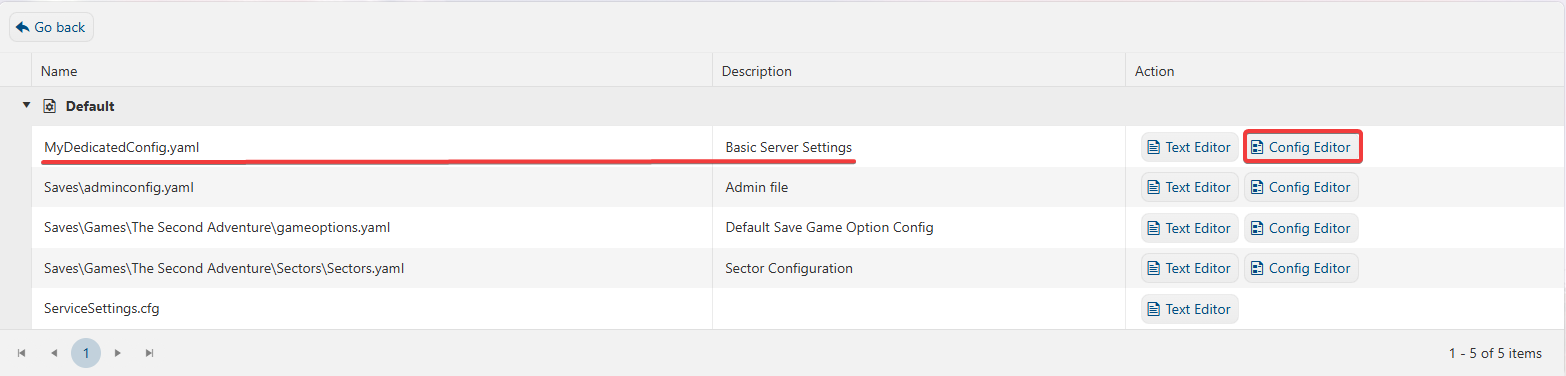
4. In the Configuration Files section, locate the MyDedicatedConfig.yaml file, then open it by selecting the Config Editor next to the Text Editor.
5. In the Config Editor, look for the Server Seed setting and modify it to match your desired world layout.
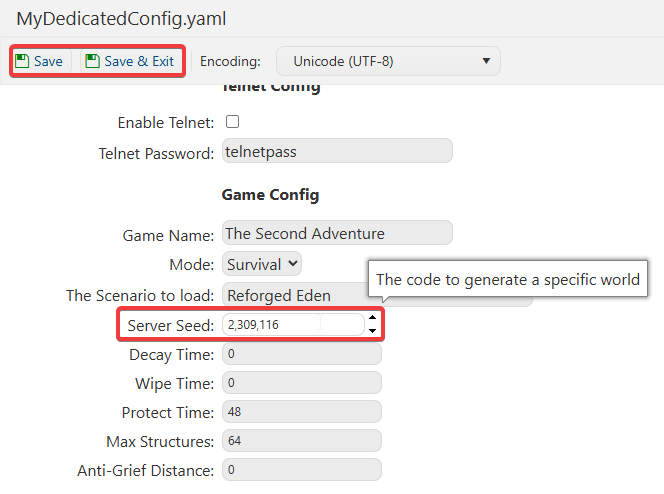
6. After making changes, click the Save button to apply.

If you prefer to update the server name directly in the file rather than through the UI, open the Configuration Files section, find the MyDedicatedConfig.yaml entry, and select the Text Editor beside the Config Editor to make your changes.
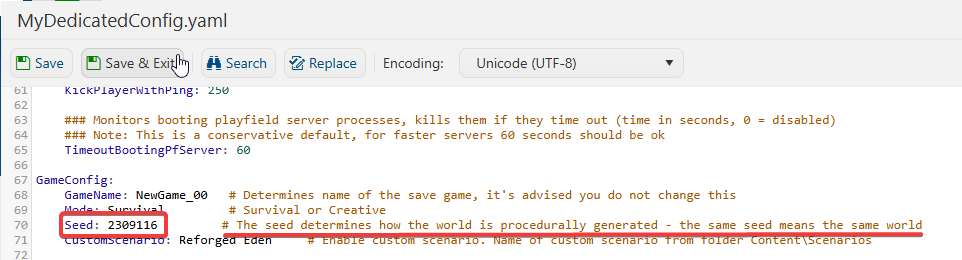
This ensures that any custom changes you’ve made, such as mods or custom scenarios, are preserved and won’t be overwritten by the Config Editor preset.
If you encounter any issues, please click here to contact our support team via a ticket for further assistance.
