
This guide will help you How to Register Your DayZ Server with the DSZA Launcher
Registering your DayZ server with the DSZA Launcher ensures players can easily discover, join, and return to your community with a single click. By adding your server to the launcher, you improve visibility, streamline player access, and provide a more professional experience for both new and returning survivors. This introduction sets the stage for a clear walkthrough of how to prepare your server, submit it to the launcher, and verify that everything is working as intended.
Registering Your DayZ Server to the DSZA Launcher
1. Log in to your Game Control Panel, then head over to your server service.
2. Copy the Query IP and Port displayed on your dashboard.
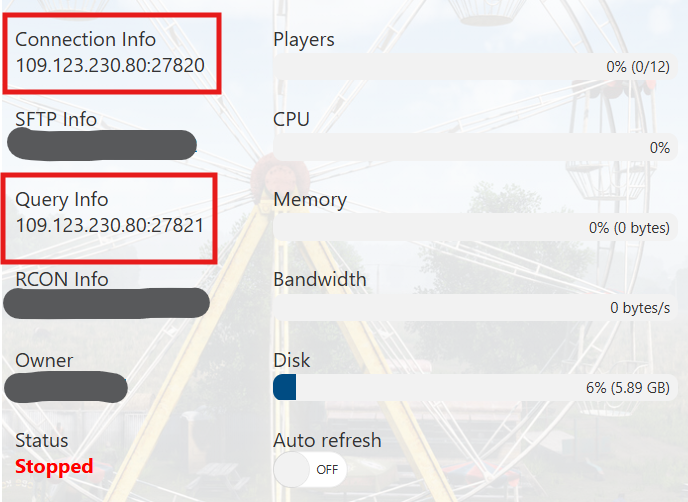
3. Visit https://dayzsalauncher.com/#/servercheck, paste your Query information into the fields provided, and select Check Server to complete the registration.
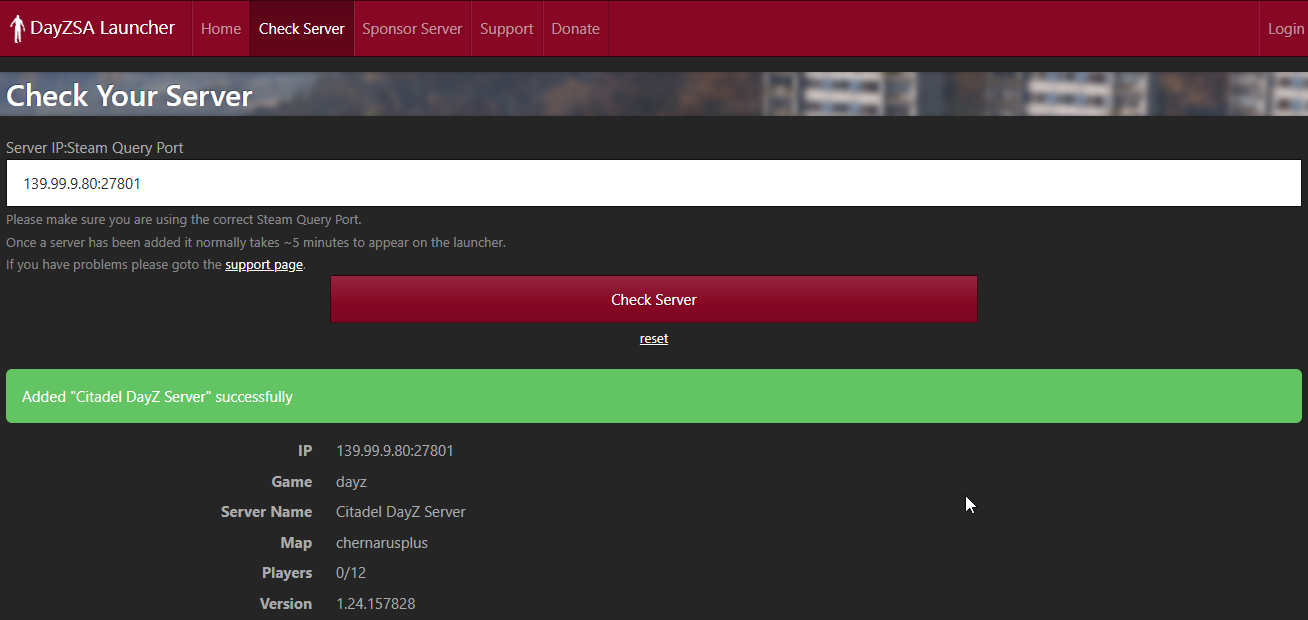
4. Wait for the launcher to finish registering your server. Once the process completes, open the DZSA Launcher.
Your server should now appear in the search results and be ready for players to join.
After that, you can use the DZSA Launcher to easily find and access your server.
If you encounter any issues, please click here to contact our support team via a ticket for further assistance.
