

This guide will show you how to upload mods to your Windrose server.
Click here to order your own Windrose server with Ascend Servers
1. Open and log in to your Game Control Panel.
2. Open the File Manager and navigate to "<Home>/R5/Content/Paks"
3. Check the instructions of the mod's page.
Multiple .pak files may be present in the mod zip file to choose from.
Upload the selected mod files to this directory using the Upload button above.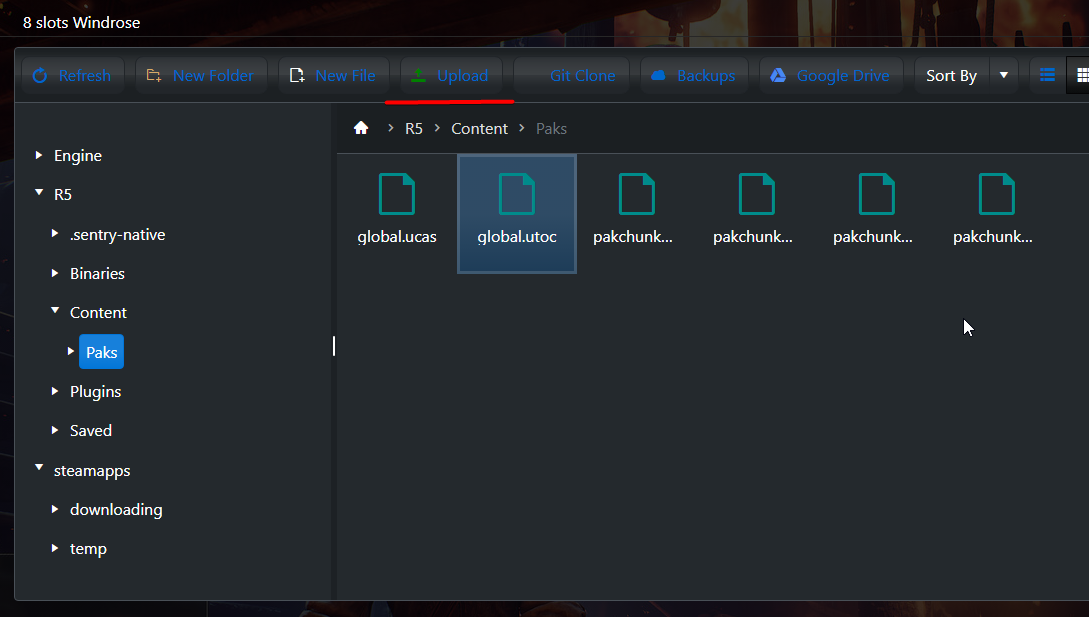
4. Once you have finished uploading the mods, you can now start the server.
Did the above information not work for you?
Please click here to contact our support via a ticket.