

Order a Barotrauma Server today with Ascend Servers
This guide will show you how to add mods to your Barotrauma server.
Kindly follow these steps:
Method 1 - via Mod Manager
Open your Game Panel
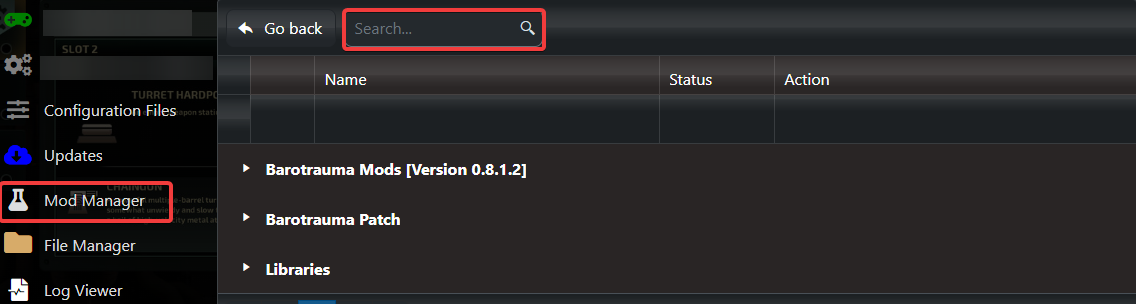
Navigate "Mod Manager" on the left side
From here you can search and easily install the mods you desire.
Method 2 - via FTP
1. On your PC navigate to the Steam workshop and subscribe to the mod(s) you want to use and download them.
2. Open Filezilla on your PC and connect to your server. Here's the guide.\
3. Upload the contents of your mods folder to the server & also upload the mods xml file to Data\ContentPackages
4. In your Game Panel,
Navigate to Configuration Files > config_player.xml and edit it.

Find the following line:
<contentpackage
path="Data/ContentPackages/Vanilla 0.9.xml" />
6. Add your mod(s) below this line, for example:
<contentpackage
path="Data/ContentPackages/Vanilla 0.9.xml" />
<contentpackage
path="Data/ContentPackages/Subnautica Ghost Leviathan.xml" />
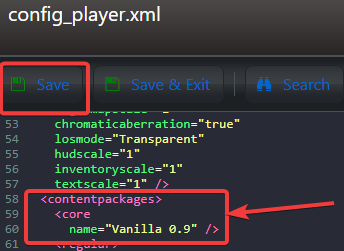
7. Save the changes.
8. Restart the server.
If you encounter any issues please click here to reach out to our support team via a ticket for further assistance.