

This guide will help you learn how to adjust PvP Settings on your Hytale Server.
Click here to order your Hytale server with Ascend Servers today!
Player versus Player (PvP) combat is one of the defining features of Hytale, shaping how players interact, compete, and cooperate on your server. By default, PvP rules may allow open combat between players, but as a server administrator, you can fine‑tune these settings to create the exact experience you want. Whether you’re building a competitive arena server, a cooperative survival world, or a hybrid environment where PvP is restricted to certain zones or events, adjusting PvP settings gives you control over fairness, balance, and community dynamics. In this guide, we’ll walk through how to configure PvP settings on your Hytale server, explain the impact of different options, and share best practices for tailoring combat rules to match your server’s vision.
Managing PvP Settings on your Hytale Servers
1. Log in to your Game Control Panel and navigate to your service.
2. Navigate to the Web-Console Tab.

3. In the Web Console tab, enter your desired command.
/world list |
Displays the currently loaded worlds. |
/world config pvp true --world <worldName> |
Enables PvP on the desired world. |
/world config pvp false --world <worldName> |
Disables PvP on the desired world. |
Managing World PvP Rules via Hytale Server Files
1. Log in to your Game Control Panel and navigate to your service.
2. Before making any modifications, stop the server from running by clicking the Stop button.

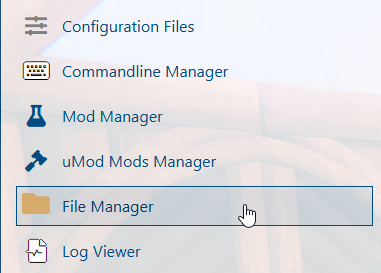
3. Navigate to the File Manager Tab.
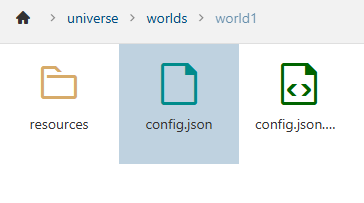
4. In the File Manager, navigate to /home/universe/worlds/(chosen world)/config.json and double‑click it.
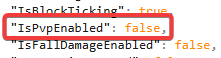
In the file, locate IsPvpEnabled and adjust its value according to your preferences.
5. After making adjustments, save the file to apply the new settings.

If you encounter any issues, please click here to contact our support team via a ticket for further assistance.