

This guide will help you learn about Mastering Entity Creation and Management on your Hytale Servers.
Click here to order your Hytale server with Ascend Servers today!
Running a Hytale server isn’t just about hosting worlds, it’s about bringing them to life. At the heart of this lies entity creation and management, the process that defines how creatures, NPCs, and interactive objects behave within your server. Whether you’re designing custom mobs to challenge players, building friendly companions to enrich gameplay, or fine-tuning mechanics for balance, mastering entities is essential for crafting a truly immersive experience. This guide will walk you through the fundamentals of entity creation, explore advanced management techniques, and highlight best practices to keep your server dynamic and engaging. By the end, you’ll have the tools and confidence to design entities that not only function smoothly but also enhance the unique identity of your Hytale world.
Building and Managing Entities on your Hytale Server
1. Start your server and connect to it.
2. Press the Tab key to open the Tools menu.
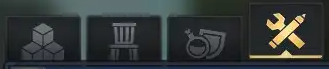
3. Choose the Entity Tool and place it in your hotbar for quick access.
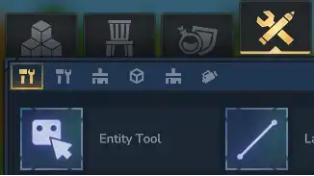
4. Keep the Entity Tool active, then press E to open the spawn menu.
5. Select the entity type you want to create. Use the NPCs menu to spawn living mobs.
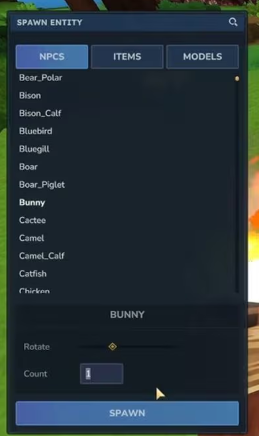
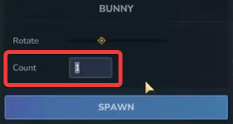
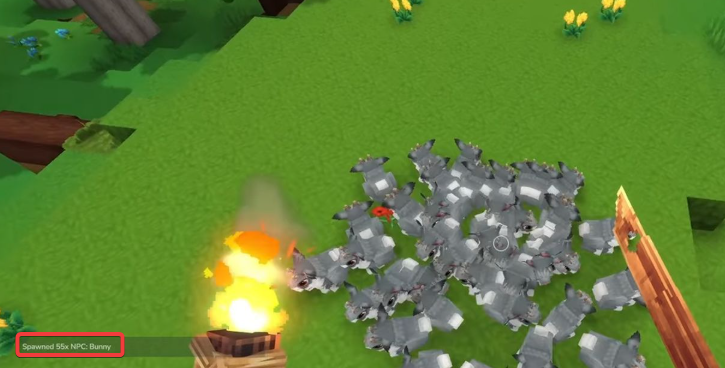
6. When spawning an NPC, set the Count field to determine how many will appear, then click the Spawn button to create them.
7. Use the Entity Tool and left‑click an NPC to select it.
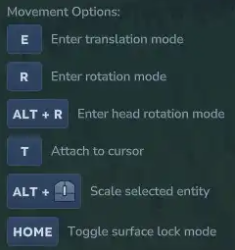
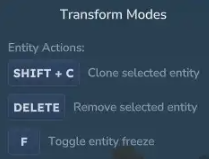
8. You’ll find multiple tools for placing entities, and more functions can be accessed on page 2.
9. To spawn a stationary entity, select either Items or Models from the menu.
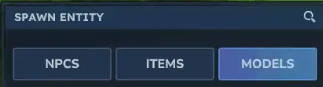
10. Stationary entities can be resized by adjusting their Scale value.

11. Edit stationary entities by selecting them with the Entity Tool.
If you encounter any issues, please click here to contact our support team via a ticket for further assistance.