

This guide will help you learn about Mastering Instance Creation and Management on your Hytale Server.
Click here to order your Hytale server with Ascend Servers today!
In Hytale, instances are the backbone of your server’s structure, shaping the environments, encounters, and gameplay experiences that players interact with. Mastering instance creation and management allows you to design unique worlds, control how players explore them, and ensure smooth performance across your server. Whether you’re building sprawling dungeons, crafting custom biomes, or organizing player hubs, understanding how to work with instances is essential for delivering a polished and engaging experience. This guide will walk you through the fundamentals of creating instances, explore advanced management techniques, and highlight best practices for optimizing your server. By the end, you’ll have the knowledge to design instances that not only function seamlessly but also bring your Hytale server to life with creativity and precision.
NOTE: Spawning instances is restricted to players with admin privileges.
Building and Managing Instances on your Hytale Server
1. Start your server, then join it.
2. Press the Tab key to open the Creative Tools.

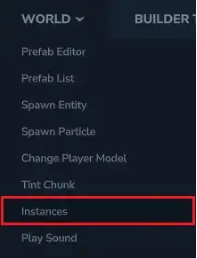
3. Open the World dropdown menu, then select Instances.
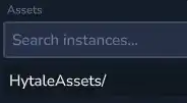
4. Navigate to the HytaleAssets/ directory.
5. Select the instance you want to spawn.
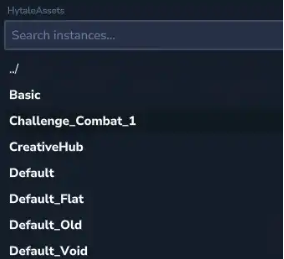
6. Click the Spawn button to generate the instance.

7. You can also spawn an instance with the /instances spawn <InstanceName> command.
If you encounter any issues, please click here to contact our support team via a ticket for further assistance.