

The following guide will help you troubleshoot why your service isn't showing up in the in-game browser listing.
Kindly Take Note:
It may take 5 to 10 minutes for servers to start.
As soon as the CPU decreases to about 50% and the RAM reaches 2.5GB or more, you will know it has started.

Updates:
Currently, the game updates one to three times a day, and in order for the servers to remain listed, they typically need to update as well.
1. Select "Stop" from your service.

2. Press the "STEAM Update" button, then wait until it completes.
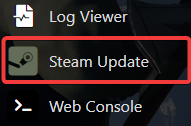
3. Start your server
If that doesn't work, the browser listing is most likely the problem.
At the moment, there is an issue that prohibits all users from seeing servers.
At the moment, there is an issue that prohibits all users from seeing servers.
Only the in-game browser is impacted by this problem; the STEAM list is unaffected.
How to Find the IP of Your Server
Step 2:
Your IP port for connecting to your server is your Query Info.
The Connection Info IP:Port should not be used to connect.
Your IP port for connecting to your server is your Query Info.
The Connection Info IP:Port should not be used to connect.
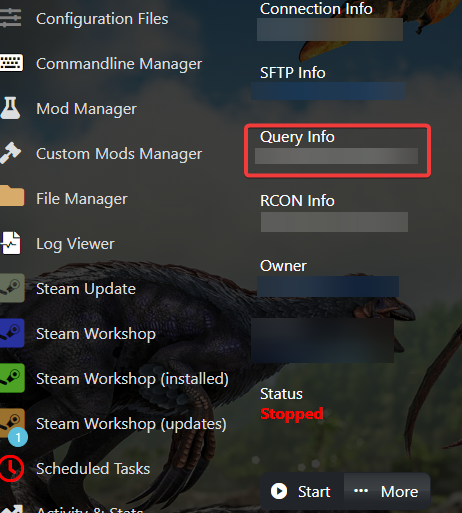
To connect to your Server using Steam Server Listing please proceed to this link on
How to connect to your ARK Survival Evolved Server.
How to connect to your ARK Survival Evolved Server.
If you encounter any issues please click here to reach out to our support team via a ticket for further assistance.
