

This guide will help you with how to Configure Difficulty Settings on your Killing Floor 2 Server
Take Your Killing Floor 2 Experience to the Next Level with Ascend Servers
Adjusting the difficulty settings on your Killing Floor 2 server allows you to customize the gameplay experience to match your players' preferred level of challenge. Whether you're looking for a more relaxed experience or want to test your players with tougher enemies, changing the difficulty is a quick way to tailor your server. In this guide, we'll show you how to configure the difficulty settings on your Killing Floor 2 server and select the difficulty level that best suits your gameplay style.
Adjusting the Difficulty Settings on Your Killing Floor 2 Server
1. Log in to your Game Control Panel, then head over to your server service.
2. Before making any changes, stop the server by clicking the Stop button.

3. Navigate to the Commandline Manager Task section.
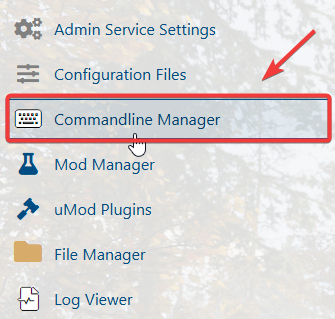
4. In the Configuration Files list, locate System\KillingFloor.ini and click Config Editor to open the file for editing.
5. In the Config Editor, locate the GameDifficulty setting and select your preferred difficulty level.
6. When you're finished, click Apply to save your changes, then start the server.
If you encounter any issues, please click here to contact our support team via a ticket for further assistance.
